

Last updated September 14, 2026
Choosing the right family album photo sharing app in 2026 is about more than just storage. It is about creating a secure, interactive ecosystem for your loved ones. We reviewed top platforms like FamilyAlbum and Pollaroo to help you move beyond chaotic group chats and into structured, private sharing environments backed by user data.
1. Use interactive photo polls to settle family debates and increase engagement
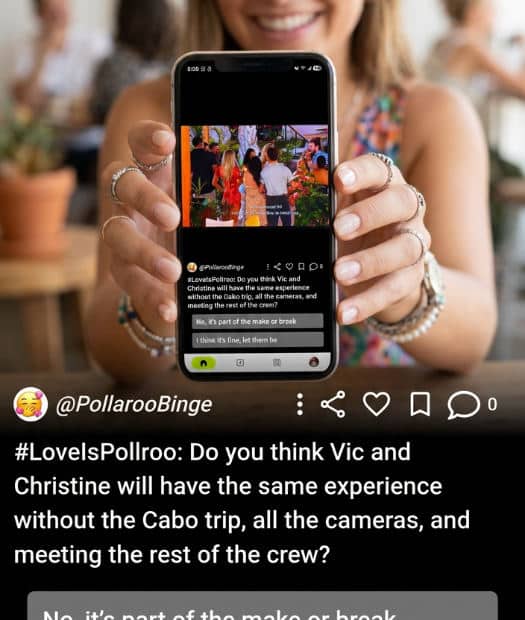
Standard comment sections often become an endless stream of "so cute" or "congrats," which doesn’t always drive meaningful connection. Instead of just posting a static photo, you should use Pollaroo to launch a voting mechanism for nursery colors, outfit choices, or upcoming vacation destinations. By transforming a simple upload into a question, you require a direct, real-time response from relatives. This strategy is particularly effective for bridging the gap with extended family members who cannot be there in person.
We have found that interactive polls break through the noise of digital clutter because they give every family member a specific job: to share their opinion. Whether you are stuck between two pairs of baby shoes or trying to pick the theme for a first birthday party, gathering nationwide opinions through Pollaroo keeps everyone involved in the small details of daily life. This turns passive viewers into active participants in your child’s milestones.
2. Leverage auto-organization to eliminate manual sorting of monthly milestones
The biggest hurdle to maintaining a family album photo sharing app is the sheer volume of data. Most parents suffer from the 10,000+ photo camera roll problem, where important milestones get buried under screenshots and accidental pocket photos. You should select an app like FamilyAlbum that offers organization tools. Having a platform that creates an instant, chronological timeline of a child’s growth without you having to lift a finger is a major advantage.
Automation is the key to consistency. Modern sharing platforms often include features that summarize seasonal memories, which allows you to look back at an entire year in just a few minutes. When the app handles the heavy lifting of sorting, you are more likely to keep the album updated, ensuring that the digital legacy you are building remains readable and structured rather than a chaotic digital dump.
3. Prioritize a private invite-only ecosystem to bypass social media exposure
Privacy is the most significant concern for parents in 2026. Posting intimate baby photos on public-facing social feeds can feel "weird" or unsafe due to data tracking and facial recognition. You should restrict visibility by choosing a platform that operates as a dedicated, invite-only space. This ensures that only trusted people, such as grandparents, aunts, and uncles, can view or interact with your content.
Apps designed specifically for families, like FamilyAlbum, focus on keeping your content within your private group. With over 10 million downloads and a high rating on Google Play, the platform demonstrates that families are moving toward these walled gardens. By using a private ecosystem, you protect your children’s digital footprint while still enjoying the benefits of sharing, ensuring that your family’s most precious moments stay within the family circle and off the public grid.
4. Enable ‘Visitor’ tracking to see which relatives are staying updated
A common frustration in family sharing is the feeling that you are shouting into a void. You post a photo, and if no one leaves a comment, you might assume no one saw it. To fix this, you should use the visitor log feature found in apps like FamilyAlbum. This tool allows you to check which distant family members have viewed the latest updates, even if they haven’t had time to write a message.
This feature brings families closer by confirming that milestones are being acknowledged silently. It serves as a gentle way to stay connected with low-engagement relatives who might be less tech-savvy or just busy. If you notice a grandparent hasn’t logged in for a while, it can serve as a nudge to reach out. Knowing that your relatives are watching the kids grow up daily provides a sense of community that simple group texts cannot match.
5. Utilize suggested photobooks to bridge the digital and physical divide
While digital sharing is convenient, physical mementos still hold a special place in the home. You should opt for apps that offer integrated print services to bridge the digital and physical divide easily. Many clinics and services that offer this provide streamlined ways to keep physical albums updated alongside digital ones.
Instead of spending hours designing a book from scratch, use auto-suggested photobook layouts. These systems pull from your monthly highlights to create a draft for you to approve. This saves significant time and ensures that the photos sitting on your phone actually end up on your coffee table. Furthermore, allowing each family member to order their own set of prints directly from the shared digital album empowers grandparents to curate their own collections without constantly asking you for high-resolution files.
6. Replace chaotic group chats with a structured notification system
Group texts are where photos go to die. Between side conversations, memes, and logistical planning, that one great shot of your toddler’s first steps is usually buried within twenty minutes. You should switch away from SMS or generic messaging apps and move to a family album photo sharing app that uses a structured notification system. This ensures that every time a milestone is posted, everyone is alerted at once through a dedicated channel.
A dedicated app keeps the conversation focused specifically on the shared memory. Platforms like FamilyAlbum are designed to isolate these moments, as noted on Google Play, which prevents the "media fatigue" that comes with high-volume group chats. By centralizing updates, you ensure no one misses a moment, and the comments remain relevant to the photo rather than getting lost in a sea of unrelated text messages.
7. Consolidate media from multiple devices including computers and digital cameras
Many families make the mistake of only sharing what is on their smartphones, leaving higher-quality digital camera shots or legacy media sitting on a hard drive. To create a truly complete family history, you should look for a platform that allows bulk uploads from desktop computers. This ensures that your professional holiday photos or old digital camera files are stored in the same place as your daily smartphone captures.
Using your sharing app as a secure backup is a smart move. If you lose your primary mobile device, having your entire history centralized in a cloud-based family album prevents heartbreaking data loss. A comprehensive system allows you to build a legacy that spans years and various pieces of hardware, making it much easier for future generations to navigate their family history in one cohesive, high-quality digital space.
8. Improve photo interactions by asking open-ended questions in the comments

To truly deepen family bonds, you need to move past passive scrolling. Instead of a generic caption, use the comment section to ask specific questions about family history related to the photo. For instance, if you post a picture of your child at the park, ask the grandparents what their favorite playground was when they were young. This encourages older relatives to leave detailed responses and relive their own memories.
Detailed captions help explain the context of everyday updates that might otherwise be forgotten. As noted on the APPS, these interactions turn a photo album into a living history book. Encouraging these "reactions" helps maintain high engagement over the long term, ensuring the app remains a vibrant hub for the family rather than a dusty digital archive. For those times you need a definitive answer on a family matter, we can help you get real-time feedback by turning those questions into a quick, decisive poll.
6. Replace chaotic group chats with a structured notification system.
One of the biggest hurdles in family communication is the scattered nature of SMS and generic messaging apps. When photos are sent via text, they often get lost in long threads of unrelated conversation, making it nearly impossible to find a specific memory months later. Switching to a dedicated family album photo sharing app solves this by using a structured notification system. These apps alert every family member simultaneously the moment a new milestone is posted, ensuring that the focus remains entirely on the shared memory.
By isolating family updates from the noise of daily group chats, you prevent media fatigue among relatives. According to data on Google Play, this centralized approach is a key reason why platforms like FamilyAlbum maintain high user satisfaction. It creates a quiet, organized space where the conversation is always relevant to the photos provided, ensuring that no important milestone is buried under a mountain of text messages.
7. Consolidate media from multiple devices including computers and digital cameras.
A truly comprehensive family archive should not be limited to smartphone snapshots. Many of the most precious memories, such as professional portraits or vacation footage, often live on digital cameras or desktop hard drives. To build a complete history, families should choose a platform that offers support for bulk desktop uploads. This allows you to centralize legacy media alongside modern captures, creating a bridge between different eras of technology and ensuring every significant moment is accounted for.
Beyond just sharing, these platforms act as a critical secure backup for your digital life. If a mobile device is lost or damaged, having a centralized cloud repository prevents the permanent loss of years of growth and milestones. By integrating files from various devices, you create a robust ecosystem that safeguards your family’s legacy against hardware failure while making the entire collection easily accessible to everyone in the private group.
8. Improve photo interactions by asking open-ended questions in the comments.
To transform a passive gallery into an active community, you must improve how you interact with shared content. Instead of providing a simple one-word caption, try using the comment section to pose open-ended questions about family history. Asking a grandparent if a certain photo reminds them of their own childhood can spark stories that might otherwise never be told. These detailed responses allow older generations to share their perspective, turning a simple image into a deep educational moment for the younger members.
These interactions are vital for providing context to everyday updates that might seem mundane now but will be priceless in a decade. As highlighted on the App Store, fostering these reactions ensures the album remains a living, breathing document. If you find that standard comments are not enough to settle a family debate, you can get real opinions fast by using Pollaroo to see exactly where everyone stands on a particular topic.
Transitioning from a ‘Populoria App’ Mindset to Family Engagement
Many people beginning their digital journey search for a populoria app, a term often associated with high-reach social platforms focused on public popularity and trending content. However, the needs of a family are vastly different from those of a social media influencer. While a populoria app prioritizes quantity of likes and public visibility, a successful family ecosystem prioritizes quality, privacy, and long-term preservation. Transitioning your strategy requires shifting from broadcasting to a general audience toward building an intimate, invitation-only environment.
To start this transition, begin by migrating your highest-quality memories into a dedicated platform like FamilyAlbum. Invite your closest ten relatives first to establish a consistent habit of checking the app. Instead of seeking temporary validation from strangers, focus on creating meaningful participation. You can use Pollaroo to poll your inner circle on important family decisions, turning a passive audience into active participants. This shift ensures that every family member feels their voice is heard, moving the focus away from public popularity and toward private, collective growth.
How to Measure Success in Your Family Sharing Ecosystem

Success in a family sharing environment is measured by engagement rather than just storage capacity. One of the best indicators of a healthy ecosystem is the frequency of interactions; track how often relatives leave comments or respond to the icebreaker prompts you post. Another critical metric is the "grandparent accessibility factor." If non-tech-savvy members can navigate the album and view updates without needing frequent technical support calls, the platform is serving its purpose of bridging the generational gap effectively.
You should also monitor the participation rates in interactive elements. A healthy digital ecosystem sees active engagement in family votes, whether you are choosing a holiday destination or a new baby name. Pollaroo helps facilitate this by allowing you to gather real-time opinions through interactive polls to ensure that decision-making is inclusive and transparent. When relatives feel empowered to contribute their opinions through polls and comments, the digital album becomes more than just a gallery (it becomes a central hub for the family’s shared life and future planning).
Key Takeaways
- Prioritize Privacy: Use invite-only apps to keep children’s photos off public social media.
- Automate Sorting: Choose platforms that organize photos chronologically by default.
- Increase Engagement: Use polls to involve relatives in family decisions and milestones.
- Consolidate Media: Upload photos from all devices, including desktops and DSLRs, to build a full legacy.
- Bridge the Physical Gap: Utilize auto-suggested photobooks to create tangible memories.
Frequently asked questions
What is the best app for sharing family poll photos?
For interactive decision-making, Pollaroo is the top choice as it specializes in photo and video polls to gather opinions. It allows you to turn a simple image share into a family-wide vote on things like clothing or nursery decor. Standard albums like FamilyAlbum are better for static storage, while Pollaroo facilitates real-time engagement and active family participation.
Is FamilyAlbum app really free?
FamilyAlbum offers a version that includes storage for photos and videos. They also offer a way for families to access additional features such as desktop uploads and customized movie summaries. Many users take advantage of print services integrated into the app to turn their digital memories into physical keepsakes.
What is a populoria app and how does it relate to photo sharing?
The term populoria app refers to platforms focused on social popularity and trending content. In the context of family sharing, it represents the transition from seeking public validation to seeking private, high-quality family engagement. Most users searching for this are looking to modernize their social habits within a safer, more private family environment that emphasizes connection over public likes.
Can I use these apps to get anonymous feedback on family decisions?
Pollaroo allows for diverse voting options, making it a great tool for honest, anonymous feedback on sensitive family choices. This is particularly useful for settling debates about baby names or budget-conscious vacation planning where privacy matters. Standard photo albums typically do not support anonymous voting, making dedicated polling apps a necessary addition to your family communication toolkit.
Transform the way your loved ones interact by turning every photo into a meaningful conversation. To build a more interactive and decisive family environment, you can get started with Pollaroo today.