
Last updated September 8, 2026
A photo with santa app is a digital tool that allows you to overlay realistic images of Father Christmas onto your own household pictures. By uploading these creations to Pollaroo, you can transform static proof of Saint Nick into interactive social polls to engage friends and family.
Key takeaways
- Real-time decision making. Pollaroo enables real-time voting to let the public decide which Santa photo looks most realistic.
- Unbiased interactions. Anonymous polling removes social pressure when asking for feedback on festive costumes or home decor.
- Seasonal versatility. Advanced Santa apps offer high-resolution stickers for the Tooth Fairy and Easter Bunny to maintain seasonal magic.
- Engaging formats. Interactive polls move beyond simple stickers by turning holiday photos into ‘This or That’ conversation starters.
- Inclusive designs. Diversity in apps like iCaughtSanta provides inclusive options including Black and Hispanic Santa figures.
Modern Ways to Use a Photo With Santa App
Using a photo with santa app has evolved. What was once a simple way to surprise children is now a robust method for adult social engagement through interactive holiday polls. Parents used to use these tools primarily to provide "proof" of a midnight visit, but the trend has shifted toward sharing these edits on social polling platforms. By integrating these images into a community environment, you move away from the isolated experience of iMessage stickers. Instead, you launch nationwide Christmas conversation starters.
Pro Tip: Use Pollaroo’s real-time voting to let the public decide which ‘Santa in my house’ photo looks most realistic among your different edits.
Pollaroo acts as the essential bridge between creative photo editing and community validation. Don’t just post a picture and hope for likes. Use our platform to ask specific questions about the quality of your edit or the humor of the scene. This shifts the focus from static, one-way consumption to dynamic debates regarding holiday realism. You might be testing a new filter or checking if your living room lighting matches the sticker. Either way, the feedback loop becomes an active part of your holiday tradition.
Creating Interactive Polls With Festive Photos
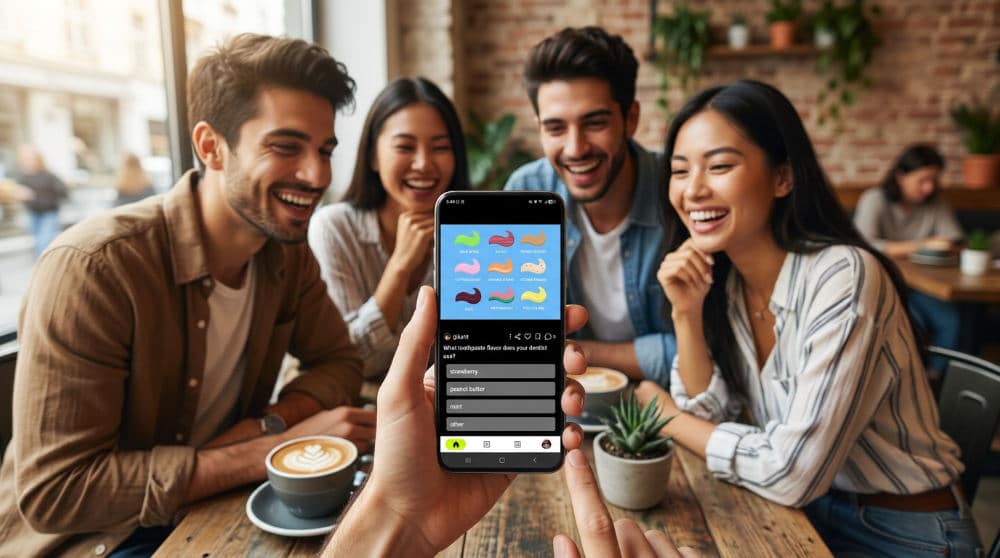
Settle long-standing holiday debates. Use side-by-side photo comparisons to determine once and for all if "Classic Santa" or "Modern Santa" reigns supreme. Creating these interactive polls allows you to take a single edited image and expand it into a thread of festive storytelling. You might upload two different versions of a "caught in the act" photo, one where Santa is eating cookies and another where he is placing gifts, to see which narrative resonates more with your audience.
If you find yourself stuck during the creative process, Pollaroo serves as a reliable decision maker for daily dilemmas to help you choose which festive edit is actually worth your main social feed. These tools aren’t just for December, either. Many high-resolution sticker apps from developers like Catch Santa Claus In My House (iOS) include characters like the Tooth Fairy or the Easter Bunny (allowing you to maintain year-round social voting cycles). By incorporating our icebreaker prompts, you can turn a simple photo of the Easter Bunny in your garden into a community-wide discussion about the best hiding spots for eggs.
Making Your Holiday Pictures Look Realistic
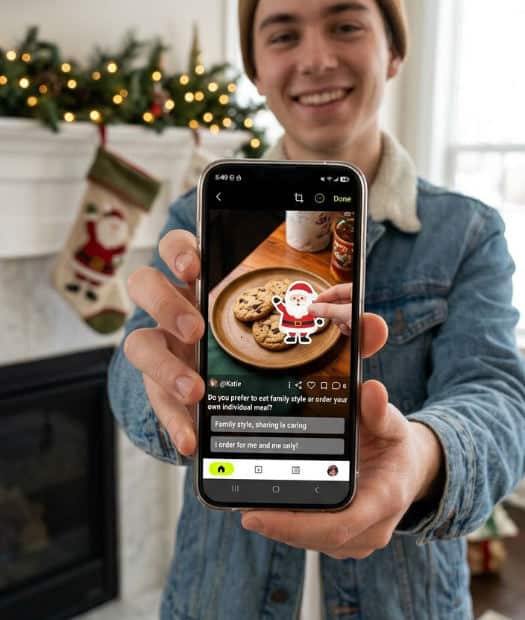
Believable looks require advanced editing features like saturation, contrast, and gamma adjustment to blend digital stickers into your actual room conditions. A "pasted-on" appearance caused by a mismatch in lighting is the biggest mistake in holiday photo editing. According to Catch Santa Claus In My House (iOS), the most successful edits are those where the user adjusts the blur and brightness of the Santa figure to match the low-light environment of a midnight living room.
Look for apps that offer diverse options to ensure your polls are inclusive and representative of your specific traditions. Modern platforms like icaughtsanta have expanded their libraries to include white, Black, and Hispanic Santa figures. This ensures every family can create "proof" that feels authentic to them. Once you have perfected the focus and grain of your image to match your phone’s camera quality, you are ready to present it to a wider audience for critique.
The Power of Anonymous Holiday Feedback
Anonymous voting on Pollaroo leads to significantly more honest feedback regarding who is "best dressed" or which scene is "most believable." When you post to traditional social media, friends often feel obligated to leave a polite comment regardless of the quality of your Santa costume or photo edit. By removing the social pressure of public "likes" and focusing on raw data, you get a clear picture of how your content is truly perceived.
Honesty Policy: Leverage Pollaroo’s anonymous polling to ask ‘Is this Santa photo believable?’ without any social pressure or biased responses.
The trend toward unfiltered community opinion explains why many people search for a "populoria app" or similar social voting tools. Users are increasingly seeking platforms that prioritize active participation over passive scrolling. If you are preparing for a public event and want an unbiased critique of your Santa suit, posting a photo comparison helps you decide which beard or pair of spectacles looks most authentic before you step out the door. For those looking to master these interactions, our social polling app guide offers deeper insights into crafting questions that get high engagement.
When Simple Photo Editing Is Not Enough
Static stickers often fail to generate the deep social engagement that modern users crave because they lack a call to action. While a well-edited photo might look great, it doesn’t necessarily spark a conversation or invite others to share their own opinions. Avoid common pitfalls, such as poor lighting matches that make Santa look out of place. That is only the first step. The second step is giving your audience a reason to interact with the image.
Purely decorative apps serve a purpose for private family viewing, but they lack the conversational depth provided by a dedicated social polling app. Turn your edited masterpiece into a viral holiday poll. Frame it with a compelling question. Are you asking for a rating? A "This or That" comparison? Maybe you are seeking photo poll ideas to share with friends to keep your profile active throughout the twelve days of Christmas. Finalizing your edit is just the beginning. The real magic happens when the community starts weighing in on your holiday spirit.
For more inspiration on how to make your seasonal content stand out, you can check out the tools available at Pollaroo.
Frequently asked questions
How can I use a photo with santa app to create a festive poll?
First, edit your photo using a Santa overlay app to create a realistic scene, adjusting for lighting and shadows. Next, upload that final image to Pollaroo and set up a ‘this or that’ question or a realism scale for your followers. Finally, share the poll link to gather real-time votes on the humor or quality of the photo from the community.
What is the Populoria app and how does it relate to Santa polls?
Many users search for the ‘Populoria’ app when they are actually looking for popular, interactive social polling tools like Pollaroo. This search trend represents a growing desire for platforms that host holiday-themed photo competitions and community voting. Pollaroo fulfills this need by allowing users to host Santa photos and receive feedback through anonymous, real-time voting.
Is there an anonymous way to get feedback on my Santa costume photos?
Yes, Pollaroo is designed specifically for this, allowing you to post photo polls where voters remain entirely anonymous. This ensures you receive honest critiques on the realism of your costume without your friends or family feeling obligated to be polite. You can even compare two different costume versions side-by-side to see which one the public prefers.
What is the most realistic Santa photo app?
The most realistic apps are those that offer granular control over saturation, blur, and contrast to match your room’s specific lighting. Look for high-resolution characters provided by reliable developers to ensure the stickers don’t look pixelated. Ultimately, realism is best tested by letting the Pollaroo community vote on your ‘Caught Santa’ edits to see if they pass the eye test.
Can I use Pollaroo to vote on the best Santa photo among my friends?
Pollaroo is specifically designed for group decision-making and social voting, making it the perfect tool for friendly competitions. You can upload multiple photos from your friend group and ask the public or a private circle to pick the winner. The platform provides clear data on which photo captured the holiday spirit most effectively based on real-time community input.