
Last updated August 25, 2026
This gallery showcases the most popular remote work aesthetics, ranging from minimalist nooks to tech-heavy stations. Utilizing data from major visual repositories like Getty Images and iStock, we provide a comprehensive look at how modern professionals style their spaces. These work from home pictures offer actionable inspiration for your own setup, focusing on ergonomic efficiency and creative biophilic vibes.
1. Minimalist desktop setups reduce visual clutter and enhance focus.
A minimalist workspace is a deliberate choice to eliminate digital and physical distractions. These setups typically feature clean white surfaces, a single high-resolution monitor, and perhaps one notebook. Software developers and writers who need deep concentration to hit their flow state favor this look. By removing extra gadgets, you force your brain to engage with the task at hand rather than the objects surrounding you.
The cost for this specific remote work aesthetic is flexible. You can achieve a high-end look with varying budgets depending on furniture quality. If you are torn between two different minimalist desks, run an anonymous poll to see which one your community thinks looks more professional. Often, the opinions of others highlight design flaws you might have missed. Keeping the palette neutral and the hardware hidden is the secret to making these layouts work in a small living space.
Source: iStock
2. Ergonomic workstations utilize specialized chairs and monitors to prevent strain.
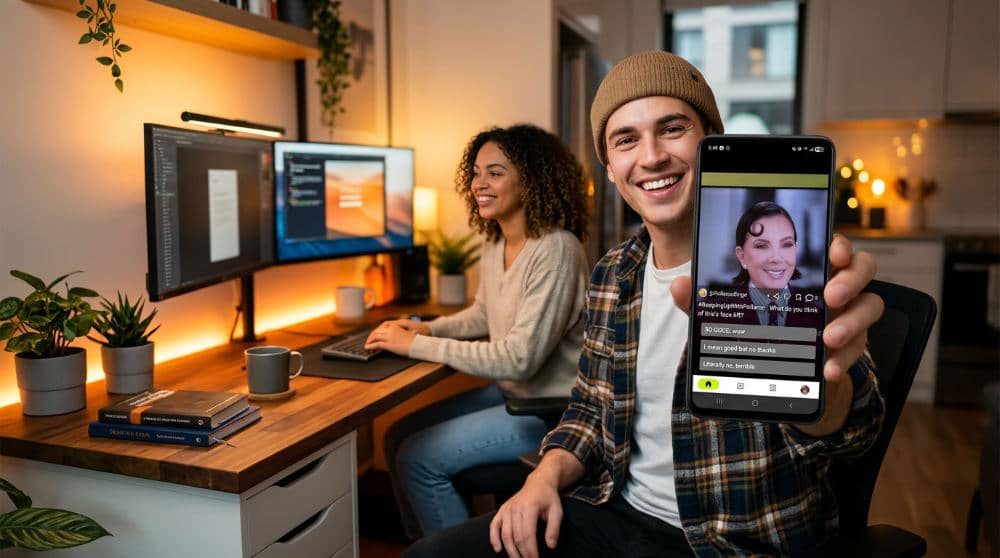
Ergonomic workstations prevent long-term physical discomfort by aligning the furniture to the human body. Health is the ultimate priority in modern office design. These setups prioritize physical longevity by incorporating chairs with adjustable lumbar support, monitor arms that keep screens at eye level, and footrests. When you spend eight or more hours a day at a computer, proper alignment is a necessity to prevent repetitive strain injuries.
"A workspace that ignores ergonomics is a workspace that invites injury; physical comfort is the foundation of high-level productivity."
High-end ergonomic chairs represent a significant investment. The price might seem steep, but the cost of physical therapy for back issues is much higher. Check professional reviews before committing to a brand. If you are stuck between two different high-performance chairs, upload photos of your own WFH setup to get real-time feedback from a nationwide community. Practitioners often find that what looks good in a studio photo does not always support the spine during a long afternoon of meetings.
Source: iStock
3. Biophilic office designs use indoor plants to improve air quality and mood.
Bringing the outdoors inside is a major trend as professionals seek to combat the isolation of remote work. Biophilic design uses natural textures like unpainted wood and stone, paired with an abundance of indoor plants. This approach does not just look beautiful in photography; it actually improves indoor air quality and helps lower stress levels. Creative professionals often gravitate toward this style because organic shapes and green hues tend to spark lateral thinking.
Plants are a common addition to these spaces, though furniture costs vary based on the quality of natural materials used. If you are unsure if your room has enough light for a specific vine or fern, checking dedicated gardening forums or community polls can help you decide on the right species. The goal is to create a sanctuary where the line between your home and the natural world feels pleasantly blurred.
Source: Getty Images

4. Tech-heavy battle stations feature RGB Lighting and mechanical keyboards.
For those who live and breathe technology, the battle station is the ultimate expression of personality. These setups often feature customizable RGB Lighting strips, mechanical keyboards with tactile switches, and high-performance hardware. While often associated with gaming, this aesthetic has migrated into the professional world for content creators and streamers. The ability to change the lighting mood with a single click makes these spaces highly adaptable.
Prices for a fully kitted-out PC and lighting rig vary based on the performance of the components. Because these setups get busy, cable management is essential to keep the look from becoming chaotic. If you are debating between a "stealth" dark mode look or a vibrant neon theme, settle debates on workspace design by asking our users to vote on your design. This specific style thrives on personalization, so do not be afraid to display your favorite tech peripherals as part of the decor.
Source: Getty Images
5. Standing desks offer a dynamic alternative to sedentary work habits.
Standing desks facilitate active movement by allowing users to switch between sitting and standing heights throughout the day. Movement is the enemy of lethargy. That is why standing desks have become a staple of modern office layouts. These desks feature either manual or motorized lifts that allow you to transition between sitting and standing throughout the workday. Health-conscious workers find that standing for even thirty minutes every hour can significantly increase energy levels and reduce the mid-afternoon slump.
Pricing for these units varies significantly based on whether you choose manual models or premium motorized units. When selecting a standing desk, look for one with a stable base that does not wobble when fully extended. You might also want to invest in an anti-fatigue mat to protect your joints while standing on hard floors. Changing your physical perspective often provides the mental shift needed to solve a difficult problem.
Source: iStock
6. Corner office nooks optimize small apartments by using dead space.
Not everyone has a spare room to dedicate to a home office. This is where the corner nook comes in. By utilizing an L-shaped Desk, you can transform a neglected corner of a bedroom or living room into a fully functional workspace. This configuration is a lifesaver for urban dwellers in studio apartments where every square foot counts. It creates a "zone" for work that feels separate from the rest of the home, even if it is only a few feet away from the sofa.
Affordable L-desks are widely available. The challenge with a nook is keeping it organized, as a cluttered corner can quickly make a small room feel cramped. Use vertical space with floating shelves to keep the desk surface clear. If you are struggling to fit your equipment into a tight corner, look at iStock Work From Gallery to see how others have solved the spatial puzzle. Maximizing these small footprints is an art form in modern interior design.
Source: Pinterest
7. Dual-monitor configurations maximize screen real estate for multitasking.
Dual-monitor setups increase productivity by providing a wider digital canvas for managing multiple applications at once. The single-screen life is becoming a rarity for data-driven professionals. Dual-monitor setups usually involve two 24-inch or 27-inch displays mounted side-by-side. This layout is essential for data analysts, researchers, and project managers who need to cross-reference multiple spreadsheets or documents simultaneously.
Adding a second monitor involves an additional hardware cost. To keep the setup looking clean, we recommend using a dual-monitor arm (which clears up valuable desk space and allows for better ergonomic positioning). When you are looking at work from home pictures for inspiration, you will notice that the most professional-looking dual setups use identical monitors to ensure consistent color and resolution. This symmetry is not just for looks; it reduces eye strain by ensuring your eyes do not have to adjust every time you switch screens.
Source: Getty Images
8. Natural light-centric setups place desks near windows to boost vitamin D.
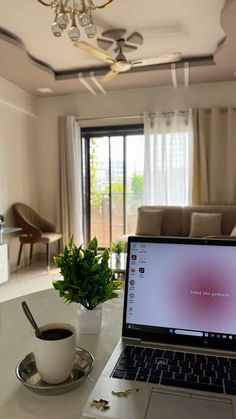
Image source: pinterest.com
Positioning a workspace to face a window is one of the most effective ways to regulate your circadian rhythm. These layouts prioritize direct sunlight and outdoor views, which help maintain mental health and energy levels throughout the day. This arrangement is ideal for professionals working traditional daytime hours who want to avoid the feeling of being trapped indoors. Beyond the biological benefits, natural light provides the best possible illumination for video conferences.
While the primary resource is free, you may need to invest in glare-reducing blinds or sheer curtains to prevent screen washouts during peak afternoon hours. Modern remote work aesthetic trends often pair these setups with light wood furniture to amplify the brightness of the room. By bringing the outside in, you create a sense of openness that can make even a small room feel much larger and more inviting.
Source: iStock
9. Backyard ‘Shedquarters’ provide a physical separation between home and work.
The ultimate solution for work-life balance is the standalone backyard office. These structures, often called shedquarters, offer a dedicated physical environment completely removed from the main living area. This setup is perfect for parents or professionals who share a house with others and require total acoustic privacy for deep work or sensitive calls. Having a door to walk out of at the end of the day provides a psychological "commute" that helps your brain switch from professional mode to relaxation mode.
Costs for these structures vary widely depending on the quality of insulation, climate control, and electrical wiring. While the investment is significant, it adds value to the property and provides a sanctuary for productivity. Many owners style these spaces with minimalist furniture to keep the focus on the surrounding garden, creating a peaceful retreat away from the distractions of the kitchen or laundry room.
Source: iStock
10. Coffee shop-inspired setups replicate a collaborative external environment.
For those who find total silence distracting, the coffee shop aesthetic offers a cozy, social atmosphere within the home. These setups often feature smaller tables, warm ambient lighting, and decorative mugs rather than traditional corporate furniture. This style suits freelance writers, consultants, and creative strategists who thrive on the soft energy of a public space. It is about capturing a specific vibe that feels less like a cubicle and more like a curated lounge.
You can achieve this look by incorporating a small bistro set or a reclaimed wood desk paired with vintage-style Edison bulbs. If you miss the actual environment, visiting a local cafe for a few hours usually requires the purchase of a beverage. Many remote workers use this aesthetic to make their workday feel less like a chore. You can find beautiful examples of this style by browsing Pinterest WFH inspiration to see how to balance decorative flair with actual utility.
Source: Getty Images
11. Co-working communal setups facilitate teamwork within a shared home.
As remote work becomes a permanent fixture for many households, the communal office has emerged as a top trend. These setups utilize large, dining-style tables where two or more people can work side-by-side. This layout is perfect for couples or roommates who both work from home and enjoy a collaborative spirit. It encourages interaction during breaks and allows for a shared central hub for chargers, stationary, and snacks.
The cost is minimal if you repurpose existing dining furniture, though many people upgrade to extra-long desks specifically designed for multiple monitors. The key to success here is managing noise; noise-canceling headphones are a must if both people have frequent meetings. For those who enjoy a shared lifestyle, this setup turns the workday into a social experience. If you are unsure if this layout will fit your room, search through iStock to see how professionals balance two distinct workstations at one large table.
Source: iStock
How to Capture High-Quality Pictures of Your Setup
Taking great work from home pictures requires a mix of good lighting and thoughtful composition. Start by using natural light whenever possible. Aim to photograph your desk during the "golden hour" or midday to avoid the harsh, flickering shadows created by overhead bulbs. Natural light ensures the colors of your furniture and decor look true to life. Before you snap the photo, tidy up your cables. Most high-end setups you see online use under-desk trays or sleeves to hide the spaghetti of wires.
Experiment with different perspectives to see what showcases your space best. A top-down "flat lay" is excellent for showing off your keyboard and stationery, while a wide-angle shot helps viewers understand the entire room layout. Before you commit to posting on your main social media feed, use Pollaroo to run an anonymous poll on which desk setup your followers prefer. This allows you to test different angles or decor arrangements and get honest feedback on what looks the most professional and inviting.
Avoiding Common Styling Mistakes
One of the biggest mistakes in home office design is sacrificing ergonomics for the sake of aesthetics. A chair might look stunning in a photo, but if it lacks lumbar support and causes back pain after two hours, it is a poor investment. Always prioritize your physical health over a specific visual trend. Similarly, avoid the temptation to over-decorate. While a few personal items add character, filling every inch of your desk with plants and trinkets can lead to visual fatigue.
Another common pitfall is ignoring the background of your video calls. Always check what is visible behind you for sensitive information or messy shelves that might undermine your professional image. If you find yourself debating between two different looks, you can settle debates on desk styles using a photo polling feature to see what a wider audience finds most appealing. This data-driven approach takes the guesswork out of styling and ensures your space is both functional and beautiful.
Optimizing Your Workspace for Performance
A high-performance workspace balances functionality with personal inspiration. Start by optimizing your lighting to reduce eye strain (this usually means having a dedicated task light for reading and a softer ambient glow for the rest of the room). Beyond the physical tools, the psychological atmosphere of your office plays a huge role in your daily output. Incorporate art or personal photos that boost your mood, but ensure they are placed where they won’t distract you during intense work sprints.
To ensure your office is truly optimized, leverage the power of community feedback. When searching for visual assets to study, note that Royalty-Free Images are the primary licensing model for work-from-home photography on major platforms, meaning you can often find high-quality references for a one-time fee. You can upload photos of your setup to receive real-time critiques from a nationwide community on your layout and furniture choices. For more insights on how to improve your lifestyle and digital presence, check out the Pollaroo Blog for tips on creating engaging content.
Frequently asked questions
Is this WFH setup better than that one?
Better is subjective and depends on your specific job requirements and physical needs. You can use Pollaroo to get an objective consensus by letting the community vote on your two favorite options to see which one resonates more with others.
What are the best colors for a productive home office background?
Soft blues and greens are known to promote focus and reduce stress levels during long shifts. Neutral off-whites or light grays are usually the best choice for professional video call backdrops as they prevent distracting reflections or shadows.
How do I hide cables for a ‘Pinterest-worthy’ office photo?
Use cable management sleeves or trays mounted under the desk surface to keep wires out of sight. Switching to wireless peripherals like mice and keyboards will also significantly reduce visible cord clutter and make the entire station look cleaner.
Where can I find copyright-free images of home offices for my blog?
Search for Royalty-Free Images on major platforms like iStock or Getty Images to find professional photography. You can also check dedicated creative commons repositories that offer high-resolution office photography for use in digital projects without licensing fees.
Ready to see how your office stacks up against the latest trends? You should get the Pollaroo app to poll your peers and discover which workspace features are truly the most popular among remote professionals today.